Building Swanson: A Developer Dashboard for the Terminally Distracted
Why Swanson?
Ron Swanson from Parks and Recreation is a man who knows what he wants and doesn’t waste time. He famously walked into a restaurant and said: “Give me all the bacon and eggs you have.”
That’s the philosophy here. Give me all the information about my projects. No fluff, no dashboards with twelve metrics I’ll never look at. Just the things I need: is it deployed, are there open issues, did CI pass?
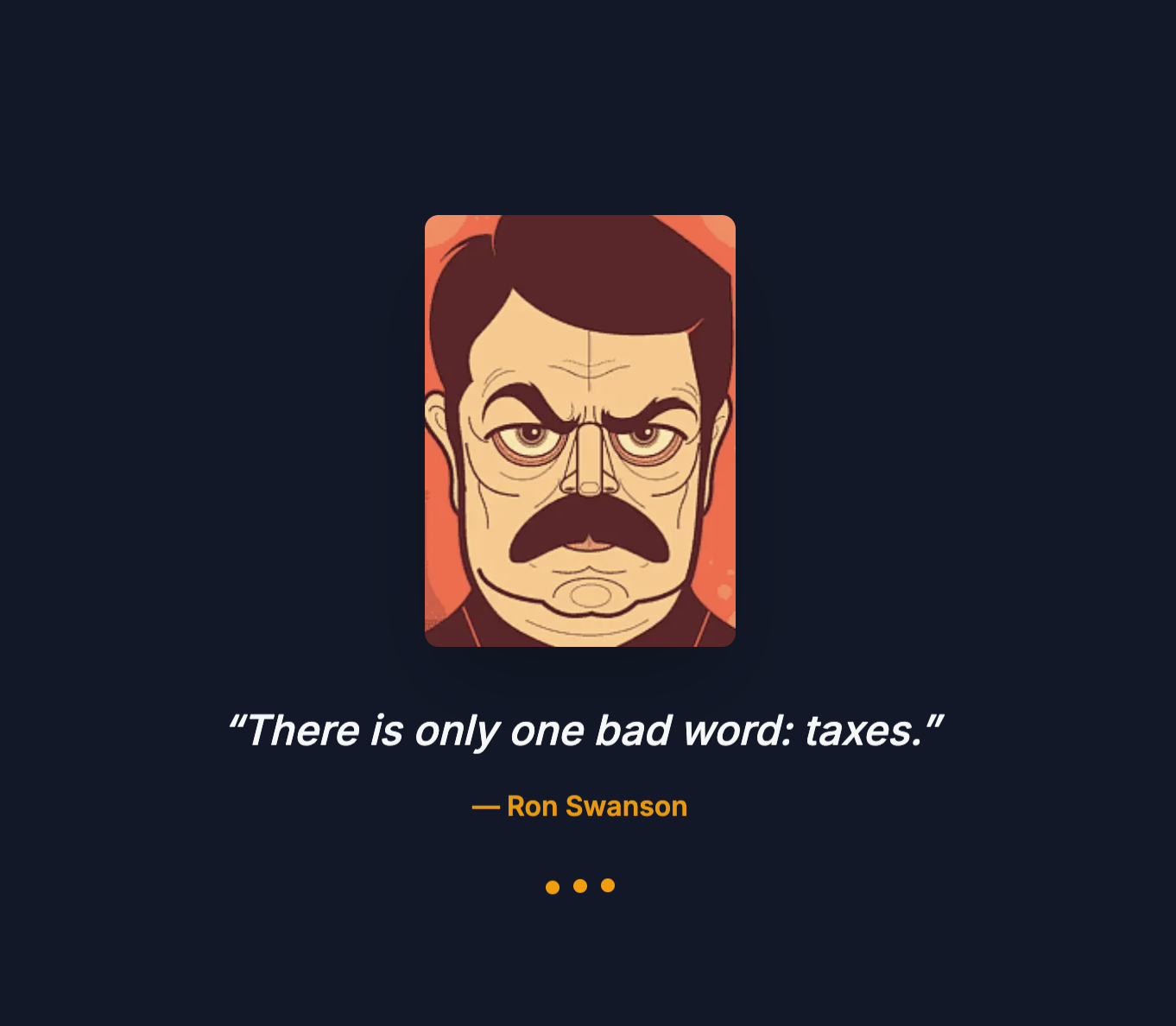
The name stuck. Every time I open Swanson, I get a random Ron Swanson quote. It’s a small thing, but it makes me smile.
The Problem
I have too many projects. At the time of writing, eleven active repositories that I maintain or contribute to regularly. Some are side projects, some are client work, some are experiments that grew legs.
The problem isn’t managing them during active development. When I’m working on something, I know what state it’s in. The problem is the projects I’m not actively thinking about.
- Did that Dependabot PR get merged, or is it still waiting?
- Is production actually running the latest code?
- Did that GitHub Action fail three days ago and I never noticed?
- Are there issues piling up that I’ve forgotten about?
I needed a way to keep all my projects visible, even when I’m not thinking about them.
Two Interfaces, One Goal
I built two versions of Swanson because I work in different contexts throughout the day.
In the terminal: When I’m deep in code, switching to a browser breaks flow. I want project information without leaving the terminal.
On the TV: I have a small TV in my office that usually displays a clock or weather. I wanted it to show something useful - a passive dashboard I could glance at between tasks.
Same data, different delivery mechanisms.
Swanson Web
The web version is a Next.js application that authenticates with GitHub OAuth and displays all my repositories as cards.
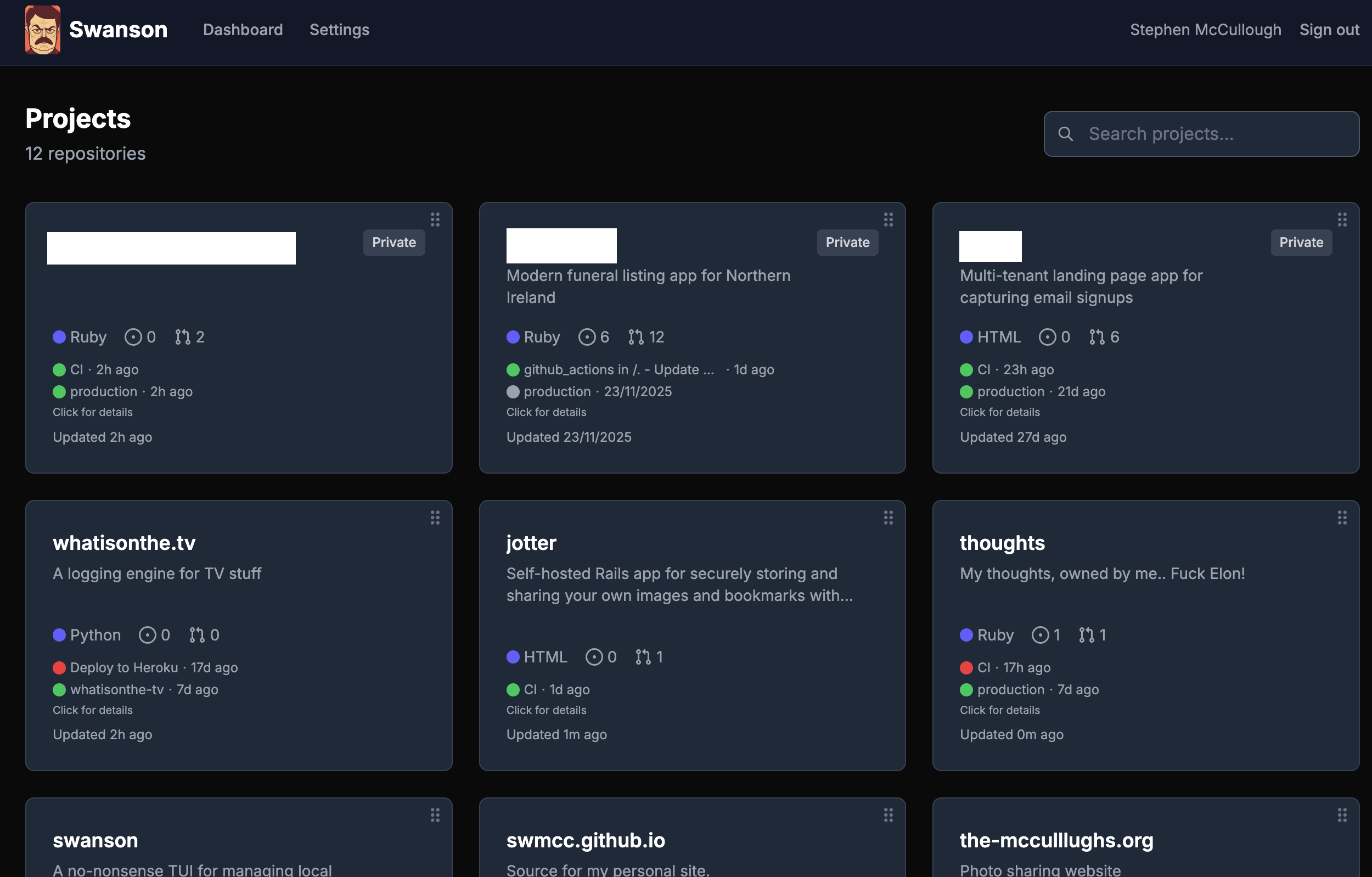
Each card shows:
- Repository name and description
- Primary language
- Stars and forks
- Last CI run status (green tick or red cross)
- Last deployment or production status
- When it was last updated
The layout is deliberately dense. I want to see everything at once, not click through pages. On a TV mounted on the wall, I can scan all twelve projects in a glance.
Deployments and Actions
Clicking a card opens a modal with recent GitHub Actions runs and deployments:
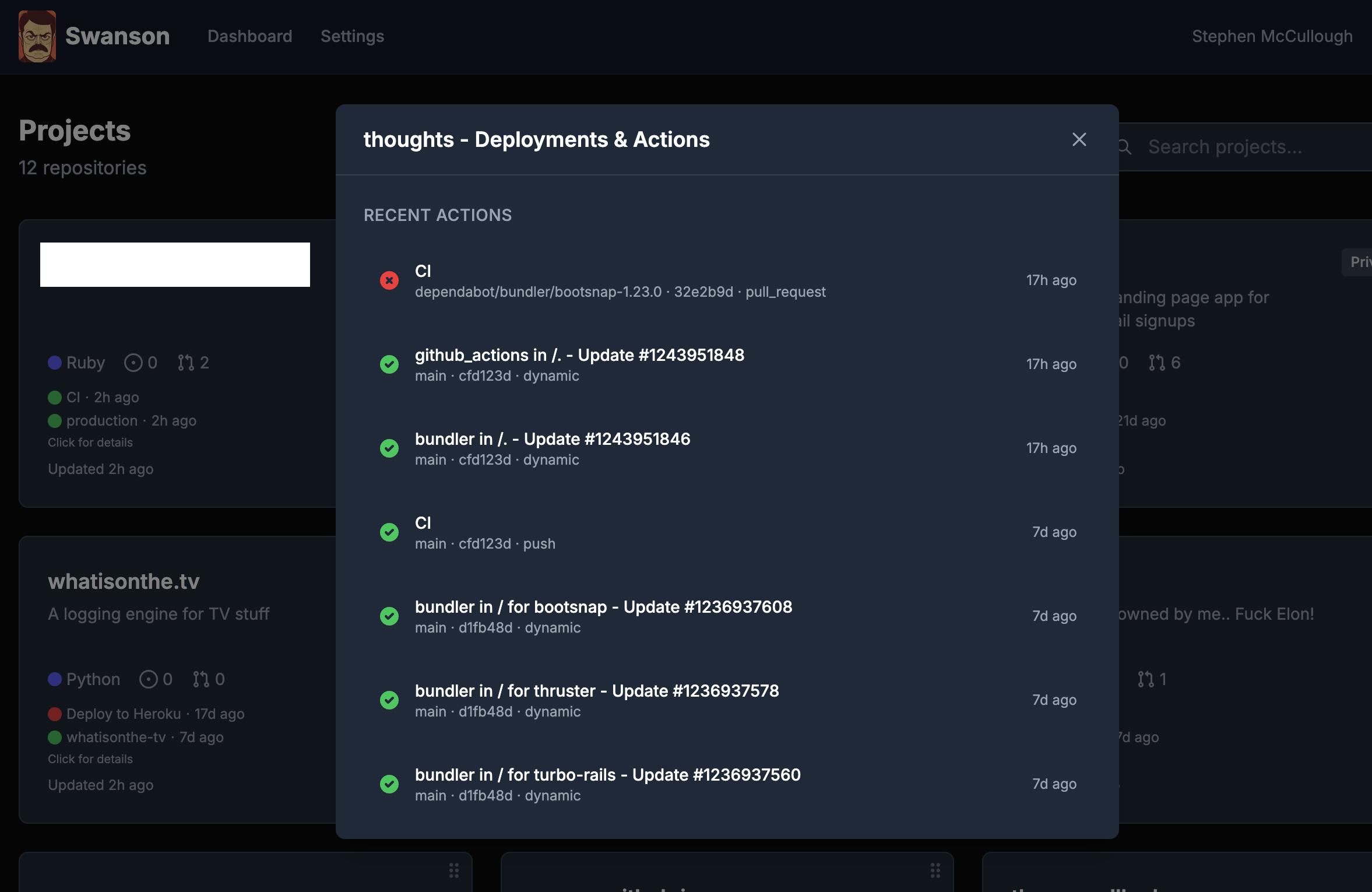
This is where I catch the “CI has been failing for three days” situations. The modal shows:
- Recent workflow runs (Dependabot PRs, deploys, tests)
- Status of each run
- How long ago it ran
No need to open GitHub, navigate to Actions, find the repository. It’s all here.
Tech Stack
- Next.js 16 with App Router
- NextAuth for GitHub OAuth
- TanStack Query for data fetching and caching
- Octokit for GitHub API access
- Tailwind CSS for styling
The app is deployed on Vercel. Push to main, it deploys. Simple.
Swanson TUI
The terminal version is built with React and Ink - a library that renders React components to the terminal using a custom reconciler.
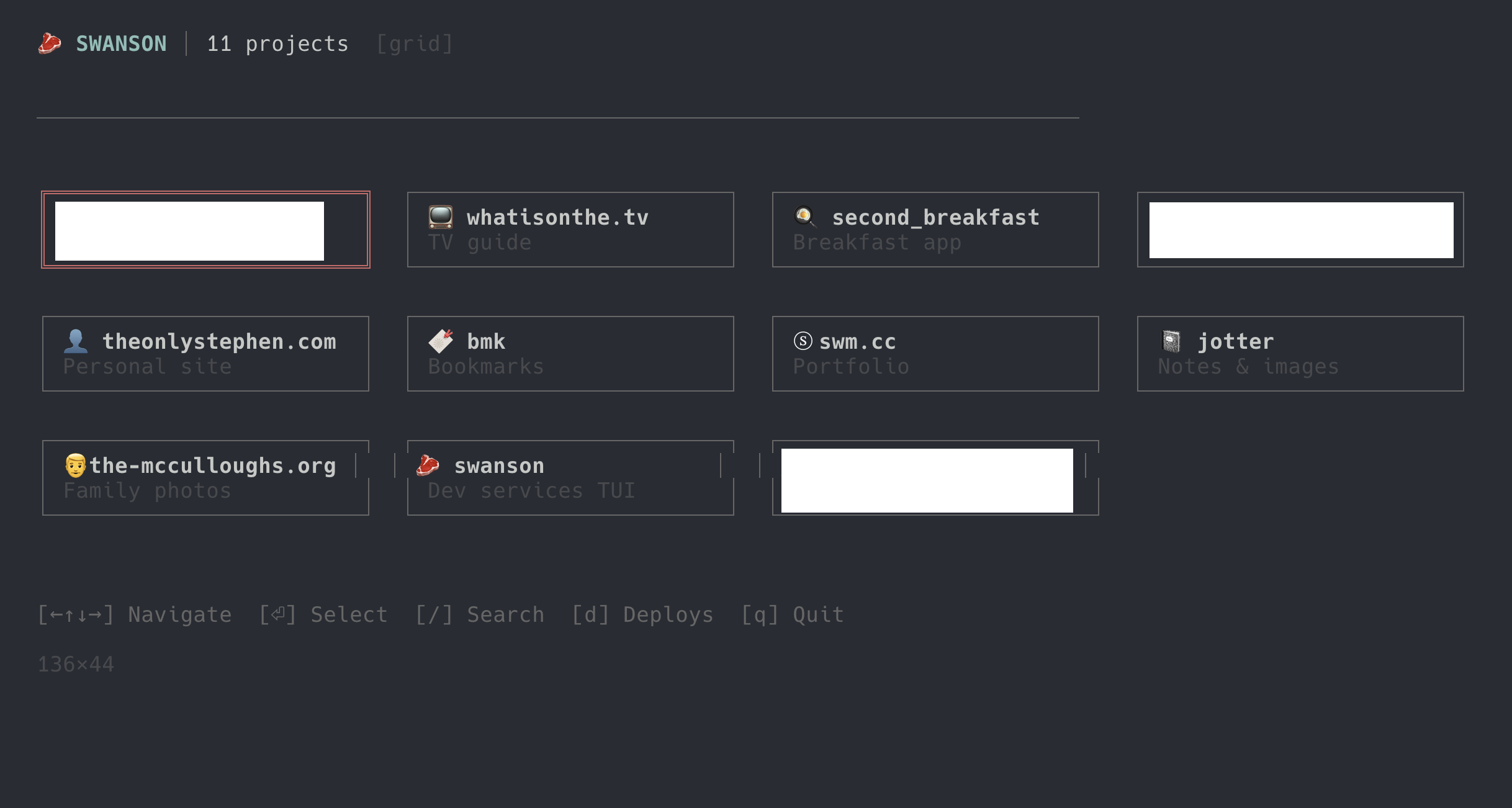
The main screen shows all projects in a grid (or list, depending on terminal width). Each project has an emoji and a short description. Arrow keys navigate, Enter selects.
Project Dashboard
Selecting a project opens a four-panel dashboard:
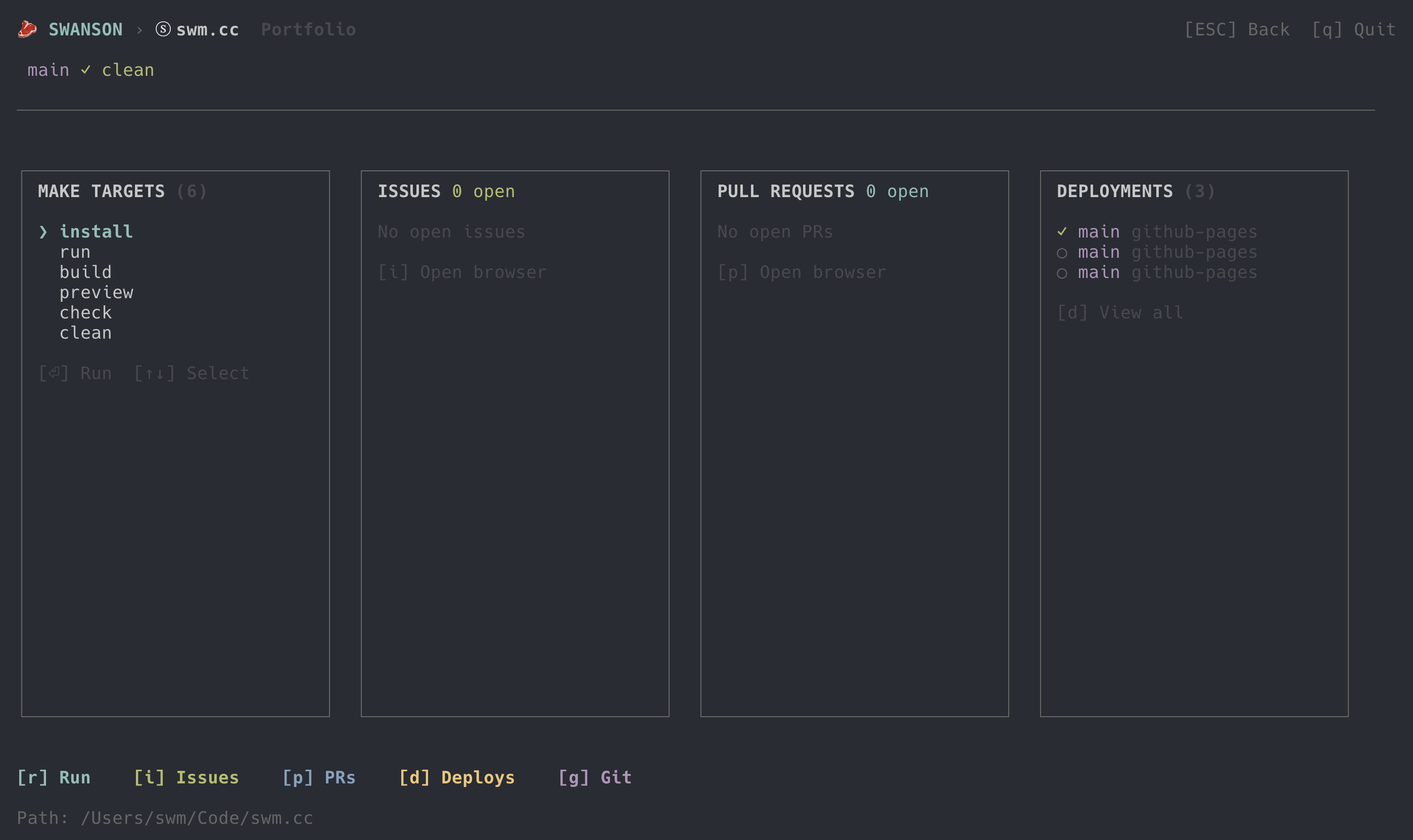
Make Targets: I use a standardised Makefile across all my projects with a local.* prefix convention. make local.run starts the dev server, make local.build compiles, make local.test runs tests, make lint.fix auto-fixes linting issues. Swanson parses the Makefile and lists available targets. Select one and press Enter to run it.
Issues: Open GitHub issues for this repository. Press i to open the issues page in a browser.
Pull Requests: Open PRs waiting for review or merge. Press p to open in browser.
Deployments: Recent deployment status. One green tick means production is current. Multiple entries show deployment history.
The keyboard shortcuts are consistent: r runs, i opens issues, p opens PRs, d shows deployments, g launches lazygit.
Lazygit Integration
Pressing g spawns lazygit in the project directory. When you quit lazygit, you’re back in Swanson. This keeps me in the terminal for the entire git workflow - staging, committing, pushing, rebasing - without switching contexts.
Deployment Views
The deployments panel shows recent deploys for the current project:
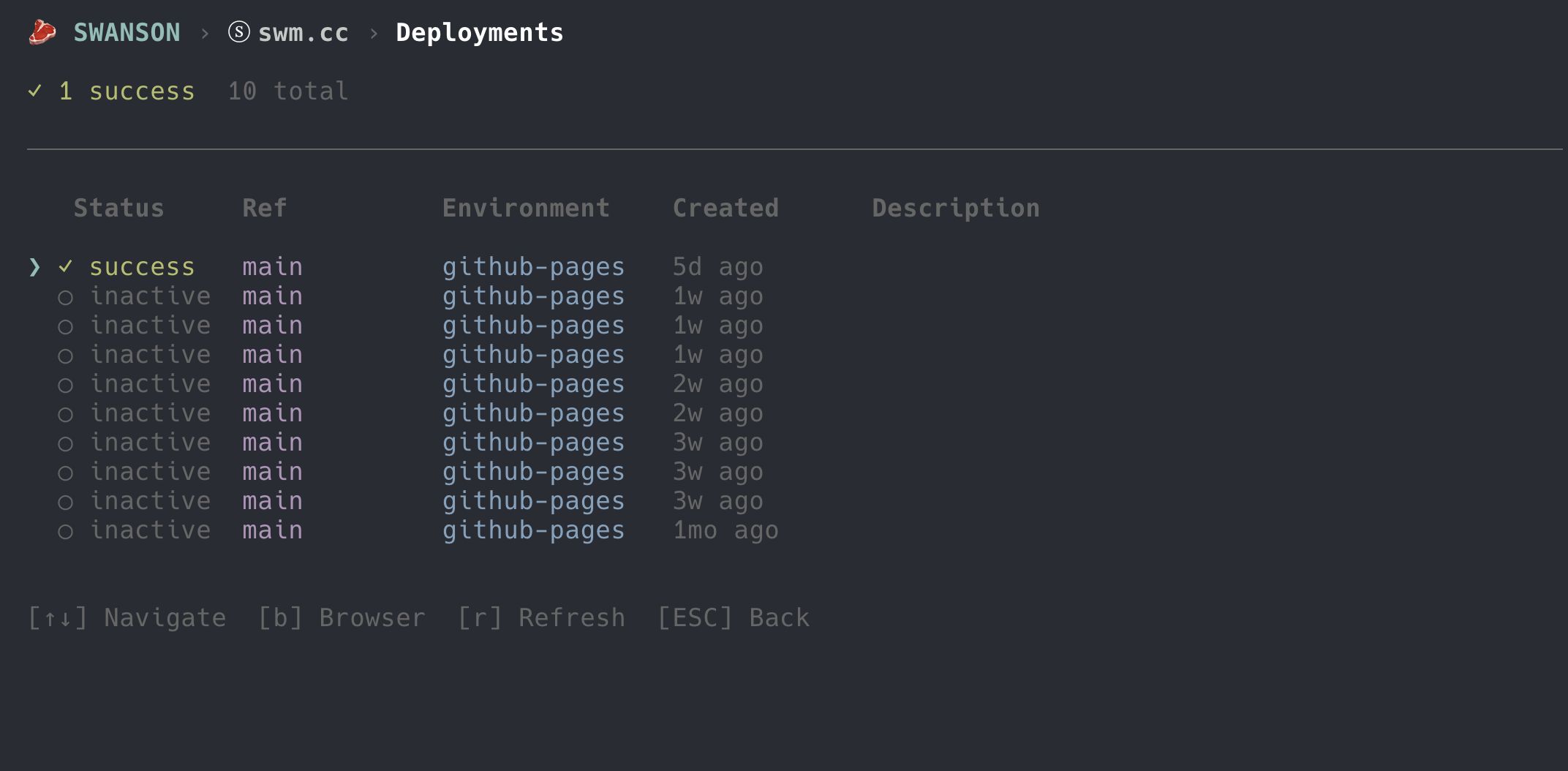
But sometimes I want to see all projects at once. Pressing d from the main grid shows a cross-project deployment summary:
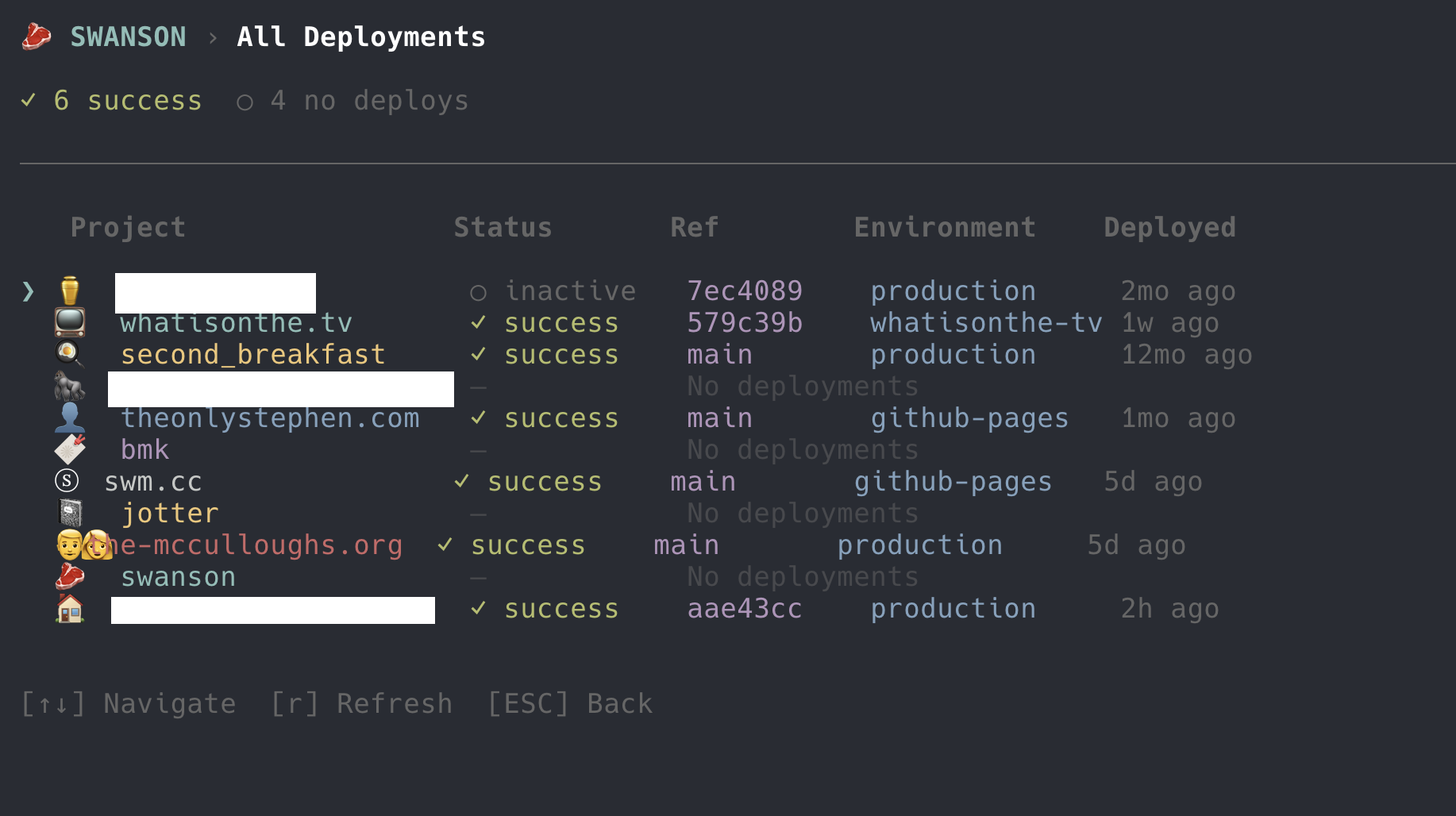
Six successful deploys, four projects with no deployments configured. At a glance, I can see which projects are current and which might need attention.
Tech Stack
- React for component structure
- Ink for terminal rendering
- Zustand for state management
- TypeScript throughout
- GitHub CLI (
gh) for API access
MCP Server
The TUI includes an MCP (Model Context Protocol) server. This lets me query Swanson from Claude Code or any MCP-compatible client.
# Register with Claude Code
claude mcp add --transport stdio swanson -- swanson-mcp
Now I can ask Claude questions about my projects without leaving the conversation:
“What’s the deployment status of jotter?”
“Are there any failing CI runs across my projects?”
“List open PRs for second_breakfast”
The MCP server exposes tools for:
- Listing all projects
- Starting/stopping make targets
- Getting process logs
- Fetching GitHub issues and PRs
- Checking git status
It’s the same data as the TUI and web dashboard, but accessible through natural language. When I’m pair programming with Claude, I don’t need to switch windows to check deployment status.
Why Two Implementations?
I could have built one web app and called it done. But terminal tools have a different feel. They’re faster to launch, they don’t need a browser, and they integrate with the rest of my terminal workflow.
The web version serves a different purpose. It’s ambient information - always visible on a secondary display, requiring no interaction. The TUI is active - I launch it when I need to do something.
Both pull from the same data sources (GitHub API, local filesystem). They just present it differently based on context.
What’s Next
- Notifications: Alert when a deployment fails or an issue is assigned
- Custom project groupings: Separate client work from side projects
- Historical trends: Track deployment frequency and CI health over time
- Mobile view: Check project status from my phone
For now, though, it solves the original problem. My projects stay visible. Nothing gets forgotten.
The source code is on GitHub: swanson (TUI) and swanson-web (web dashboard).